

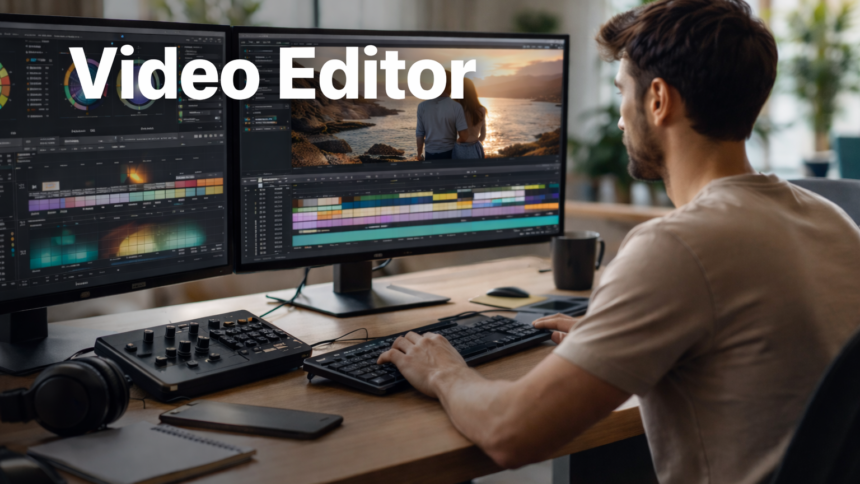
The primary function of modern free Video editor in 2026 is to bridge the gap between amateur capture and cinematic output using the Gemini 1.5 Pro and GPT-4o backbones for multimodal processing. These tools target YouTube creators by automating labor-intensive tasks like color grading and transcription through deep-learning neural networks.
The Value Proposition: Why Professionals Are Migrating
The landscape of content creation has shifted from manual keyframing to a Video editor model where autonomous systems handle the heavy lifting of post-production. For a professional YouTube creator, staying tethered to legacy, expensive subscription models often results in a slower turnaround that cannot compete with AI-augmented workflows. Review the official DaVinci Resolve Technical Whitepaper for deeper insight into neural engine architecture. Explore our MBA Certifications for more deep dives into the infrastructure powering these AI tools.
Quick Comparison Table (2026)
| Feature | CapCut | ClipChamp | Kdenlive / Shotcut | DaVinci Resolve |
| LLM Backbone | ByteDance Private | Microsoft Copilot | Open Source / Local | DaVinci Neural Engine |
| API/Integration | TikTok, YouTube | Zapier, Slack | GitHub (Open Source) | Python/Lua API |
| Pricing | Free (Pro: $9.99/mo) | Free (Premium: $11.99/mo) | 100% Free | Free (Studio: $295) |
| Compliance | GDPR / CCPA | SOC2 / GDPR | Local (User-Owned) | ISO 27001 / GDPR |
Here are Some Major tools :
1. DaVinci Resolve (The Professional Standard)
Still the undisputed king of free software, used to grade films like Avatar. In 2026, the free version includes many of the DaVinci Neural Engine features.
- Best For: Long-form YouTube videos, cinematic vlogs, and color grading.
- How to Use It:
- The Cut Page: Use this for “fast” editing. Drop your clips in, and use the Source Tape feature to skim through hours of footage in seconds.
- Neural Color: Use the “Magic Mask” (now more accessible in the free tier) to stroke over a person; the AI will track them automatically, allowing you to brighten just the subject or blur the background.
- Pro Tip: Since AI transcription is often a paid feature in Resolve, generate your captions in Clipchamp (free), export the
.srtfile, and import it into Resolve.
2. CapCut Desktop (The Viral Growth Hack)
CapCut has evolved from a mobile app into a powerhouse for creators who need high-speed output with built-in AI trends.
- Best For: YouTube Shorts, TikToks, and fast-paced commentary videos.
- How to Use It:
- Auto-Captions: One click generates animated, trendy captions. In 2026, these are 98% accurate for English.
- AI Script-to-Video: If you’re stuck, type your topic into the “Script-to-Video” tool. It will pull stock footage and generate a rough cut for you to polish.
- Smart Background Removal: Use the “Auto Cutout” to remove backgrounds without a green screen—perfect for “talking head” style Shorts.
3. Microsoft Clipchamp (The “No-Install” Workhorse)
Built directly into Windows 11, it’s the easiest way to start without a steep learning curve. of Video editor.
- Best For: Simple YouTube tutorials, corporate-style videos, and quick social clips.
- How to Use It:
- AI Video Composer: Click “Create a video with AI,” upload your raw clips, and it will automatically sync transitions and music to the beat of your footage.
- Text-to-Speech: Use the Azure-powered AI voices for high-quality narration if you don’t want to use your own voice.
- Cloud Sync: Start an edit on your laptop and finish it on another device via your Microsoft account.
4. Shotcut & Kdenlive (The Open-Source Giants)
- If you have an older computer or want “true” 4K freedom without any corporate restrictions, these are your best bets for Video editor.Video Editor Paradigm: 95% Efficiency via Neural Integration
- Use the “Proxy Editing” feature; it creates low-res versions of your 4K clips so your computer doesn’t lag while you edit, then swaps them back for the final high-res export.
- Best For: Low-end PCs and creators who value privacy and no-watermark 4K exports.
- How to Use It (Shotcut):
- Go to View > Layout > Editing immediately to clean up the technical interface.
3 AI Capability FAQs
Does it support multimodal input?
Yes, most top-tier editors in 2026 support multimodal inputs, allowing users to upload text prompts, audio files, and video clips simultaneously to generate a synchronized edit. This is a core component of achieving Video editor in short-form content creation.
How does it handle complex reasoning?
Complex reasoning, such as “Identify all humorous moments in this 1-hour footage,” is handled via a deep-layer analysis of facial expressions and audio cues. While the Video editor are significant, a human editor is still required to verify the subjective “emotional resonance” of the AI’s selections.
Is there a free tier?
Every tool mentioned offers a robust free tier, though they vary in resolution limits. For instance, ClipChamp caps at 1080p, whereas DaVinci Resolve and Shotcut provide full 4K exports without watermarks to help you maintain a Video editor ratio without financial overhead.