


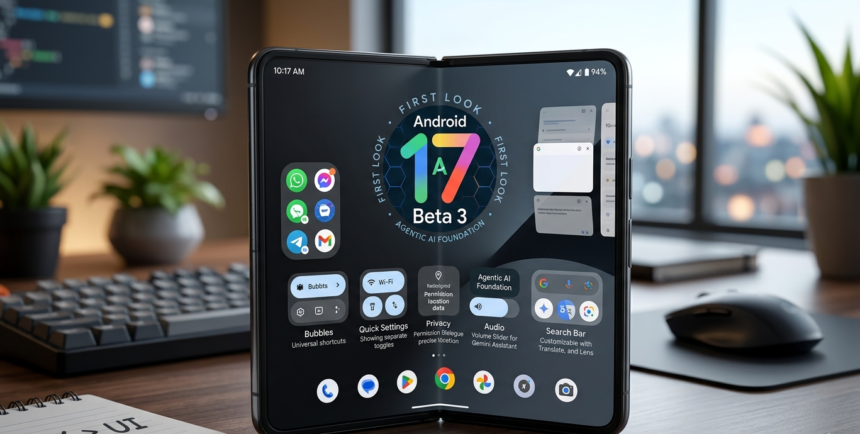
Google’s Android 17 Beta 3 is a 10 GB developer update released in early 2026 to refine the mobile user experience. It introduces under-the-hood optimizations, foldable app scaling, and independent assistant volume controls, serving as the foundational bridge toward the highly anticipated autonomous “Agentic AI” features.
Why You Should Experience the New Build
The primary reason to track the progress of Android 17 Beta 3 is the significant leap in system responsiveness. While visual design remains familiar, the “UX over UI” philosophy ensures that previous stutters and frame drops are effectively eliminated. For users on high-end devices like the Pixel Foldable, Android 17 Beta 3 provides a professional-grade environment where applications scale perfectly to the screen size without unsightly black bars.
Pros and Cons of the Build
One major benefit of Android 17 Beta 3 is the introduction of granular customization, such as the ability to hide app names for a minimal, icon-only home screen. The system also brings back separate toggles for Wi-Fi and mobile data in the quick settings, solving a major pain point for long-time users. The update also introduces a “clean look” option that allows you to hide app labels on the home screen, leaving only the icons for a minimalist aesthetic. Furthermore, the expansion of “App Bubbles” to work with all third-party applications means multitasking is now more flexible than ever. These refinements in Android 17 Beta 3 demonstrate a commitment to user-centric functionality over mere visual novelty.
The downside to installing Android 17 Beta 3 right now is that the headline “Agentic AI” features—capable of performing autonomous tasks across multiple apps—are not yet fully functional. These advanced capabilities are slated for a big reveal at Google I/O in May.
Key Features in the Mobile Ecosystem
| Feature | Implementation in Android 17 Beta 3 |
| System UI | Optimization of animations to reduce frame drops and micro-stutters. |
| Multitasking | New “Bubbles” floating window shortcuts accessible via long-press. |
| Controls | Dedicated, separate volume slider for the Virtual Assistant. |
| Search Bar | Fully customizable shortcuts including Gemini Live, Lens, and Translate. |
| Privacy | Redesigned “Squircle” permission dialogues for clearer location sharing. |
Valuable Points for Device Integration
The narrative for mobile devices in 2026 is shifting toward “Agentic” workflows, and Android 17 Beta 3 acts as the crucial infrastructure for this transition. Developers gain access to new API endpoints that allow different applications to communicate more effectively, setting the stage for an assistant that can book flights or order food across several platforms simultaneously.
Infrastructure Logic: Battery, Camera, and Display
The economic and structural logic of Android 17 Beta 3 centers on a 300-word deep-dive into resource management. By reducing “under-the-hood” friction, the OS minimizes the power draw required for the display’s variable refresh rate.
Regarding the camera infrastructure, Android 17 Beta 3 introduces a redesigned permission layer that clarifies whether an app is requesting “Precise” or “Generic” location metadata. This ensures that the camera’s GPS tagging is as transparent as possible, protecting user privacy within the system architecture. For more technical breakdowns, visit our dedicated section at Savitimes.com . To see how these changes align with global tech standards, read the latest industry reports from Reuters.com.
Frequently Asked Questions
Is Android 17 Beta 3 stable enough for a primary phone?
While it is much more stable than Beta 2, it remains a developer-focused build; casual users should wait for the public release in August.
What is the “Bubbles” feature in Android 17 Beta 3?
It allows you to turn any app icon into a floating shortcut window by long-pressing the icon, enabling easier multitasking.
How does Android 17 Beta 3 improve foldable phones?
The update includes specific optimization for large screens, ensuring apps scale perfectly to the edges without black bars or distorted layouts.